What's new in 1.2
WHAT'S NEW
Get around with a floating button
A small button floats over your page. Tap it for a strip of icons: yesterday, today and tomorrow, last, this and next week and month, home, the date picker and calendar sync, plus your own custom zones. Nothing to set up on your pages, and you can write anywhere. See Part 1b.
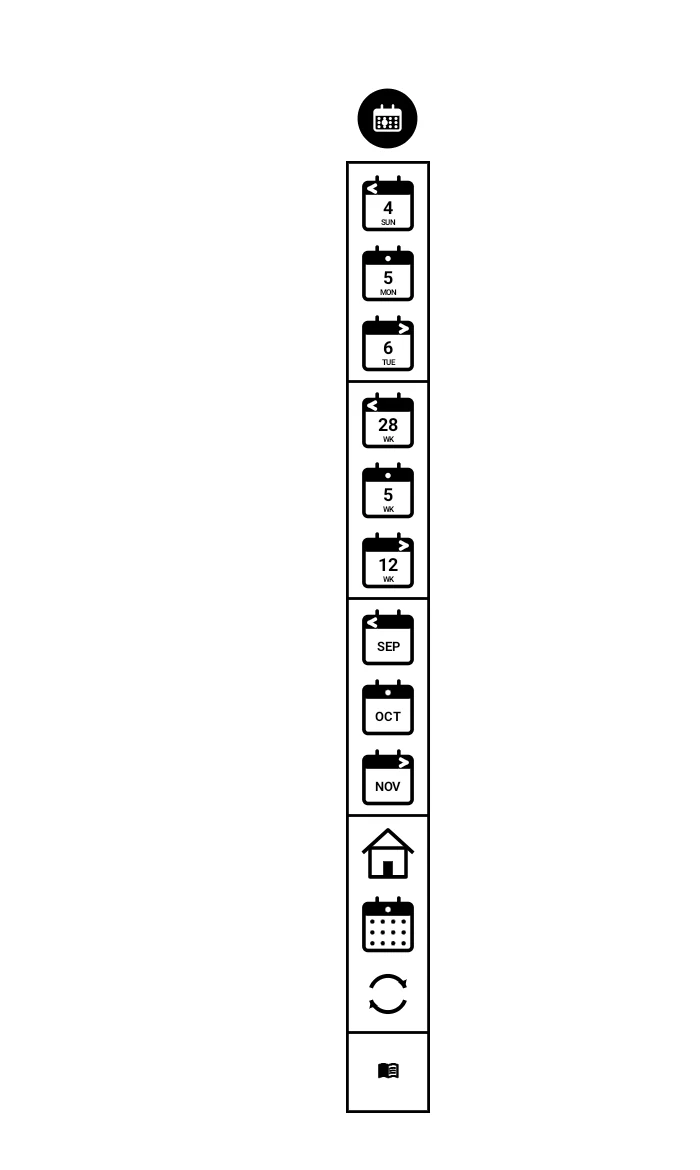
Prefer hitbox zones on your pages? The floating button can be a switch for those instead: tap it to show them as dashed boxes and switch them on, tap again to write freely.
"Buttons" are now hitbox zones
The areas you tap on your pages are now called hitbox zones (or just zones), so they are not confused with the floating button. The ones you make yourself are custom zones, and the lasso actions are now Map to zone, Use as zone icon and Save as custom zone.
Setup asks how you want to get around
The guided setup now opens by asking whether you want the floating button with icons or hitbox zones on your pages, and only walks you through what that choice needs (page 1.0a). If you have already been through setup, Modulanner shows you the floating button once, the next time you open the panel.
One Modulanner button in the lasso menu
Lasso something and there is now a single Modulanner button, with all its actions in one menu: Send to…, Map to zone, Use as zone icon and Save as custom zone. Any of them can also have its own button again (page 7.0).
Send to… anywhere
Send to date became Send to…: a date, another page in this note, a page in another note, a recent page, or a named page. Copy what you lassoed, or just leave a link back (page 7.1).
Named pages
Give a page a name from the Info tab and find it again by name, even after reordering the note's pages (page 6.3).
Calendar slots with the icon strip
In Icons mode, a new switch lets a finger tap still open a day or add a page from your calendar slots, while pen taps on the page stay off (page 1b.1).
Appointment tap rules (Beta)
Tap an appointment in a day grid and open the right page for it, such as the running notes for a weekly meeting (page 8.7).
Settings and Options
Settings is now split in two. Settings holds what is always in effect, like date mode and your planner file. Options holds what you switch on or off, like the floating button, page labels and erase tap mark (pages 4.0 and 4.0b). The Packs tab is gone for now (Part 5).
Smaller changes
- The Today toolbar button always opens today's page in your planner file, from any note, and is now in a PDF's toolbar too. From a PDF it opens your planner first, then moves to the page a moment later. The floating button's icons work the same way from anywhere.
- A What's new screen opens the first time you use Modulanner after an update. Reopen it any time from Info, What's new.
- The lite version links straight to where you can get an unlock key.
- The Templates tab's families collapse, with Daily open.
- Custom zones can have their own icon, from an image or a lasso.
- Fixed: the panel sometimes showed the template of a page you had already left.