What "tomorrow" means
SETTINGS
This setting changes what the navigation zones do, so it's worth understanding.
Sections
-
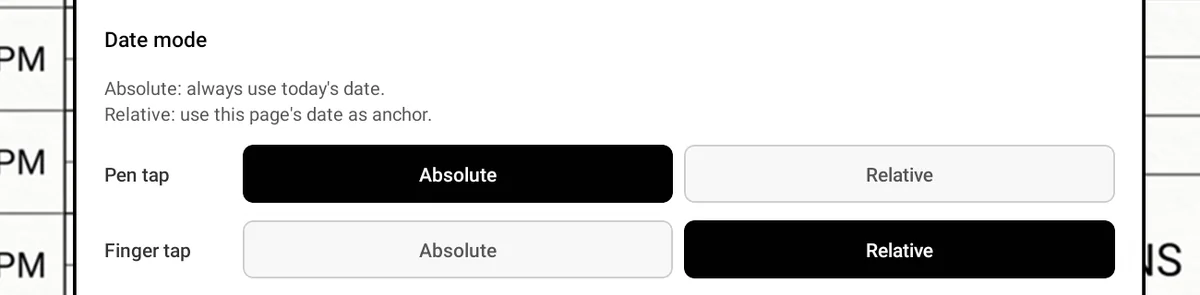
Absolute — dates are counted from today's real date. "Tomorrow" is always the day after today, wherever you are in the planner.
-
Relative — dates are counted from the page you're on. Standing on 12 March and tapping Tomorrow takes you to 13 March.
Worked example: It's 1 August. You're reading your 10 July page.
-
In Absolute, Tomorrow goes to 2 August.
-
In Relative, Tomorrow goes to 11 July.
Per input: 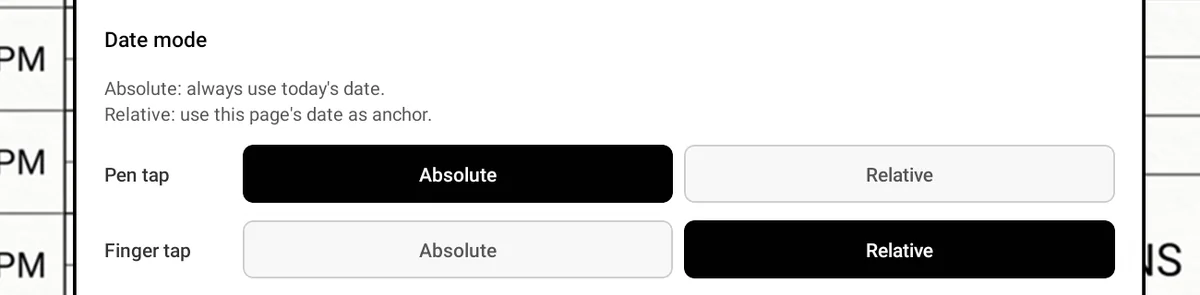 Pen and finger can use different modes. By default pen
taps are absolute and finger taps are relative.
Pen and finger can use different modes. By default pen
taps are absolute and finger taps are relative.