Quick-add a page
CUSTOM SETUP
Some zones aren't about going somewhere — they're about starting something. An insert-a-template zone adds a fresh page every time you tap it.
Steps
-
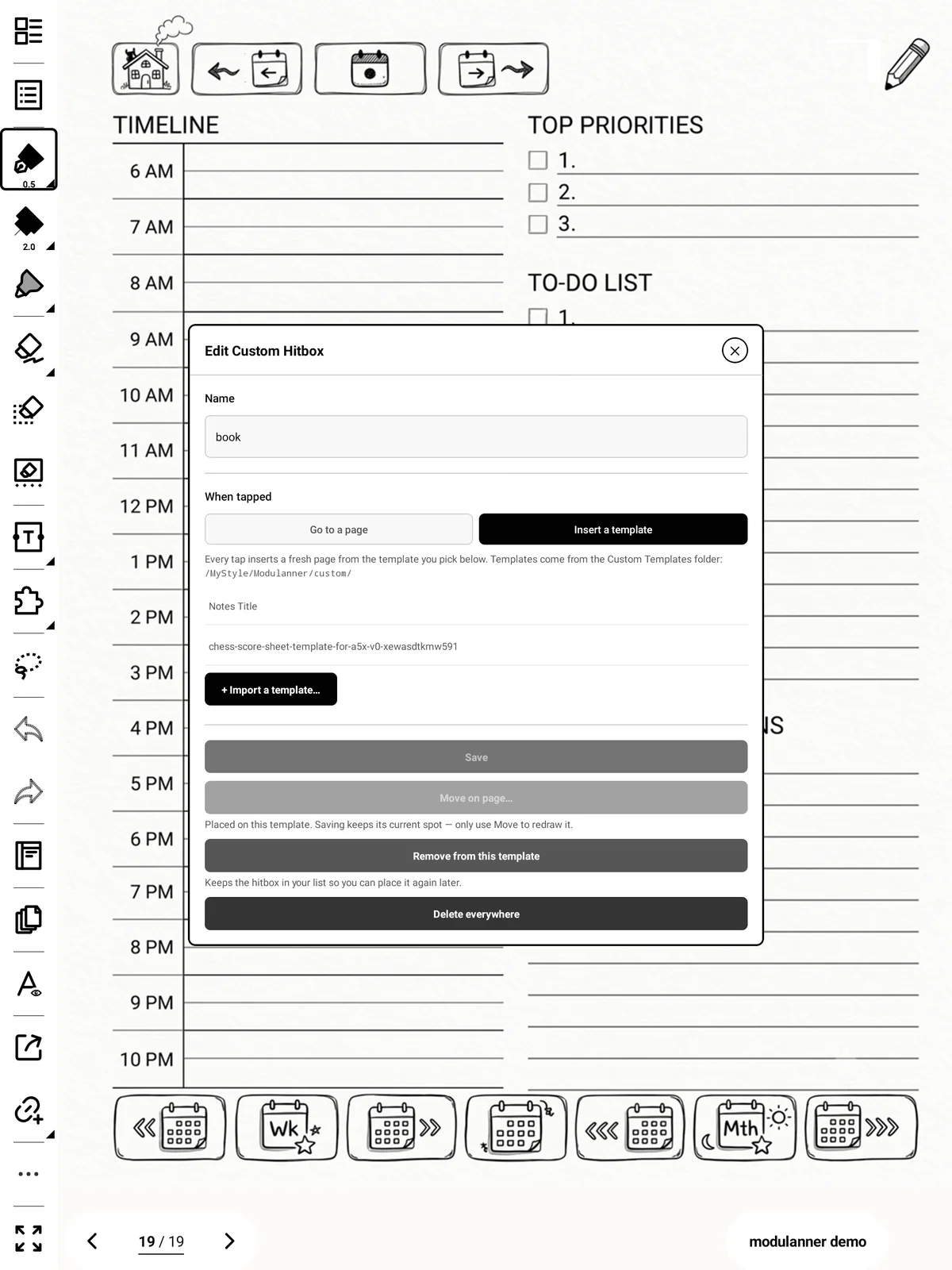
Custom Setup → + Add custom zone, name it (e.g. New Recipe).
-
Switch the target to Insert a template.
-
Choose the template the new page should use.
-
Save, then place it on the page.
[S-37]
Important: This always makes a new page. It doesn't look for an existing one first — that's the difference between this and the dated zones.
Tip
Each page it creates is tagged with the zone's name and the date, so these pages are findable later rather than anonymous.