Send it somewhere else
LASSO TOOLS · FULL VERSION
A to-do you didn't get to, a note that belongs on next week's page, an idea for your project board: send it there without going there yourself.
Steps
-
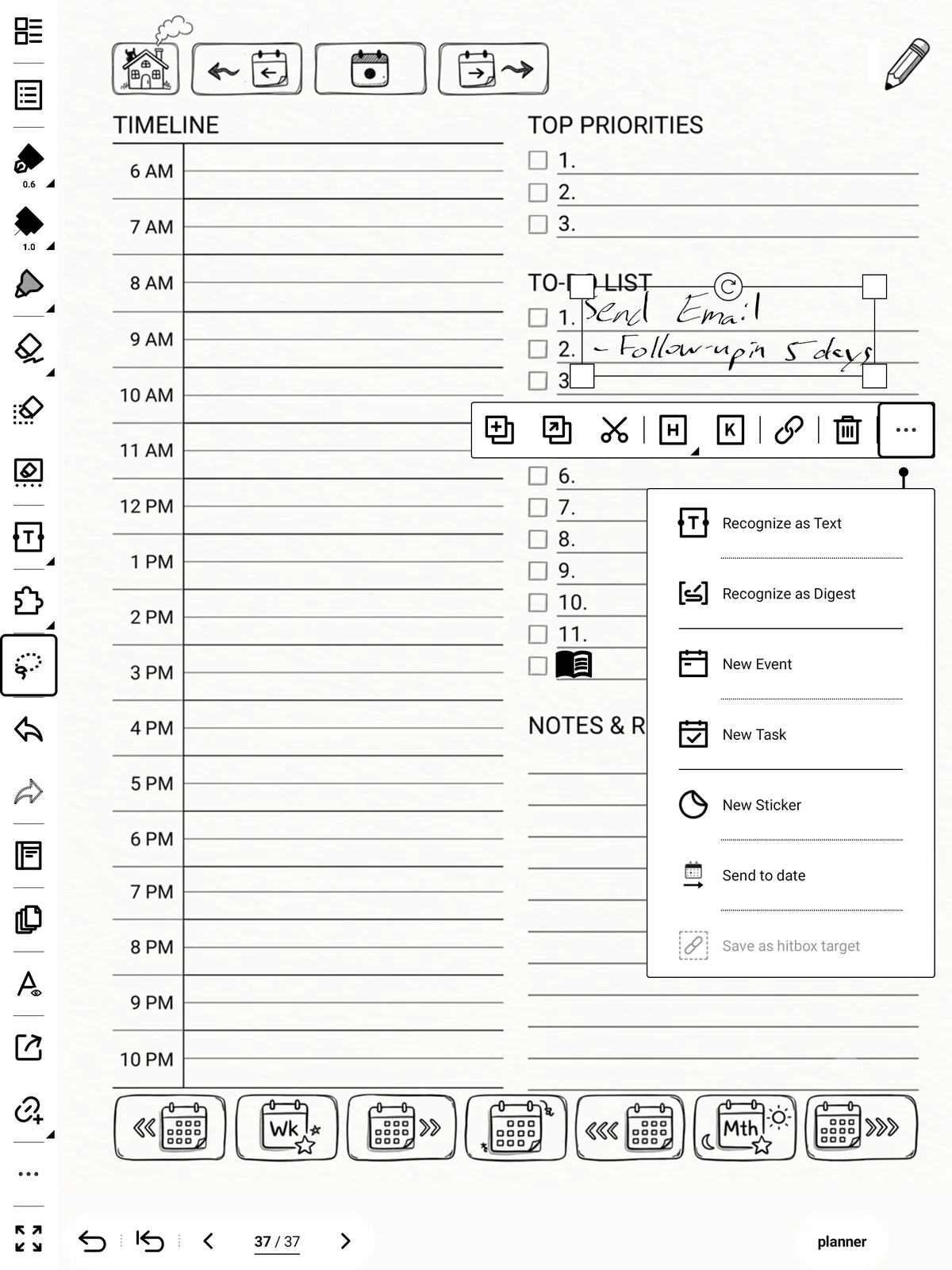
Lasso the writing you want to send.
-
Tap Modulanner in the lasso menu, then Send to….
-
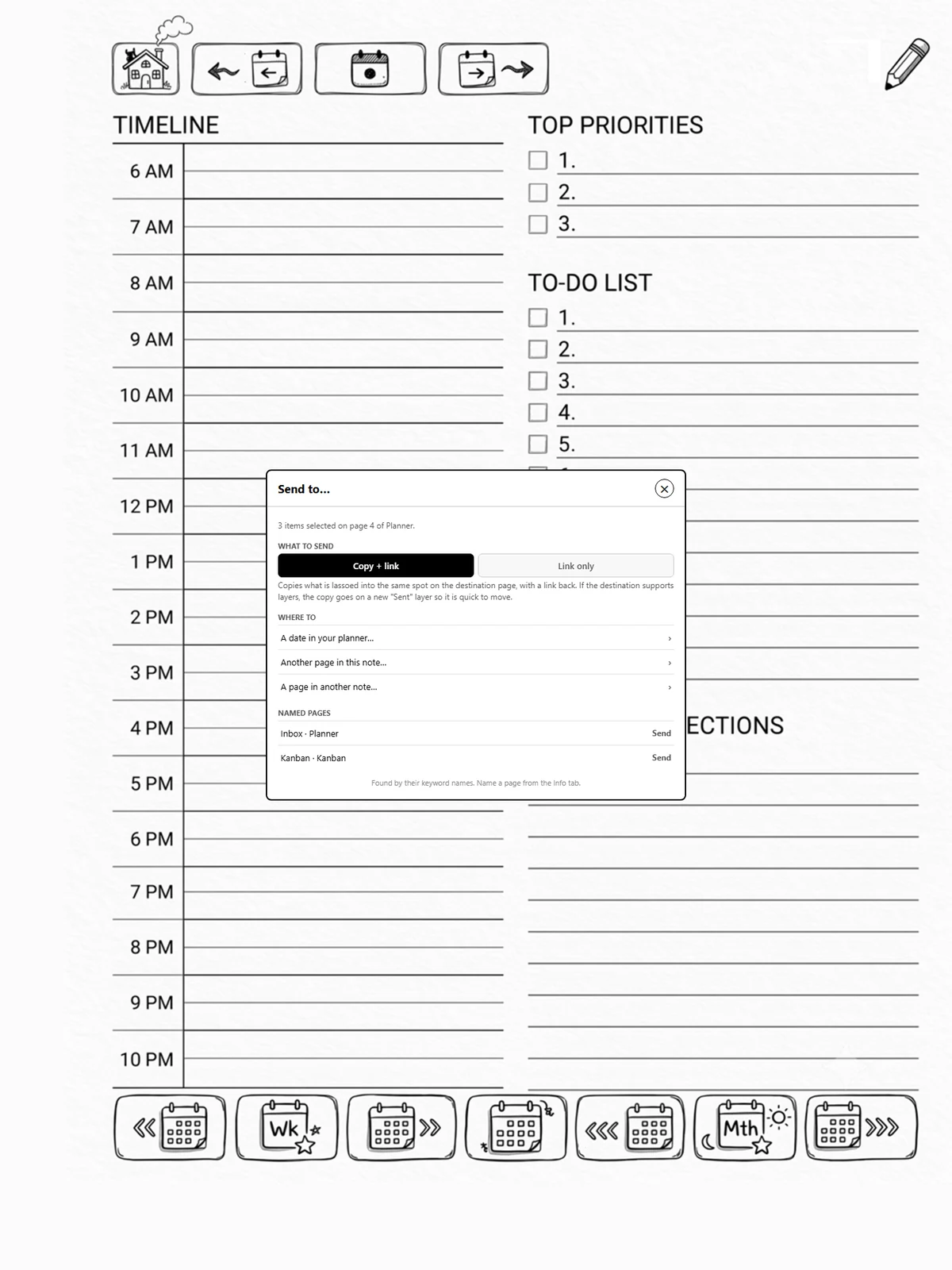
Choose what to send, then where.
-
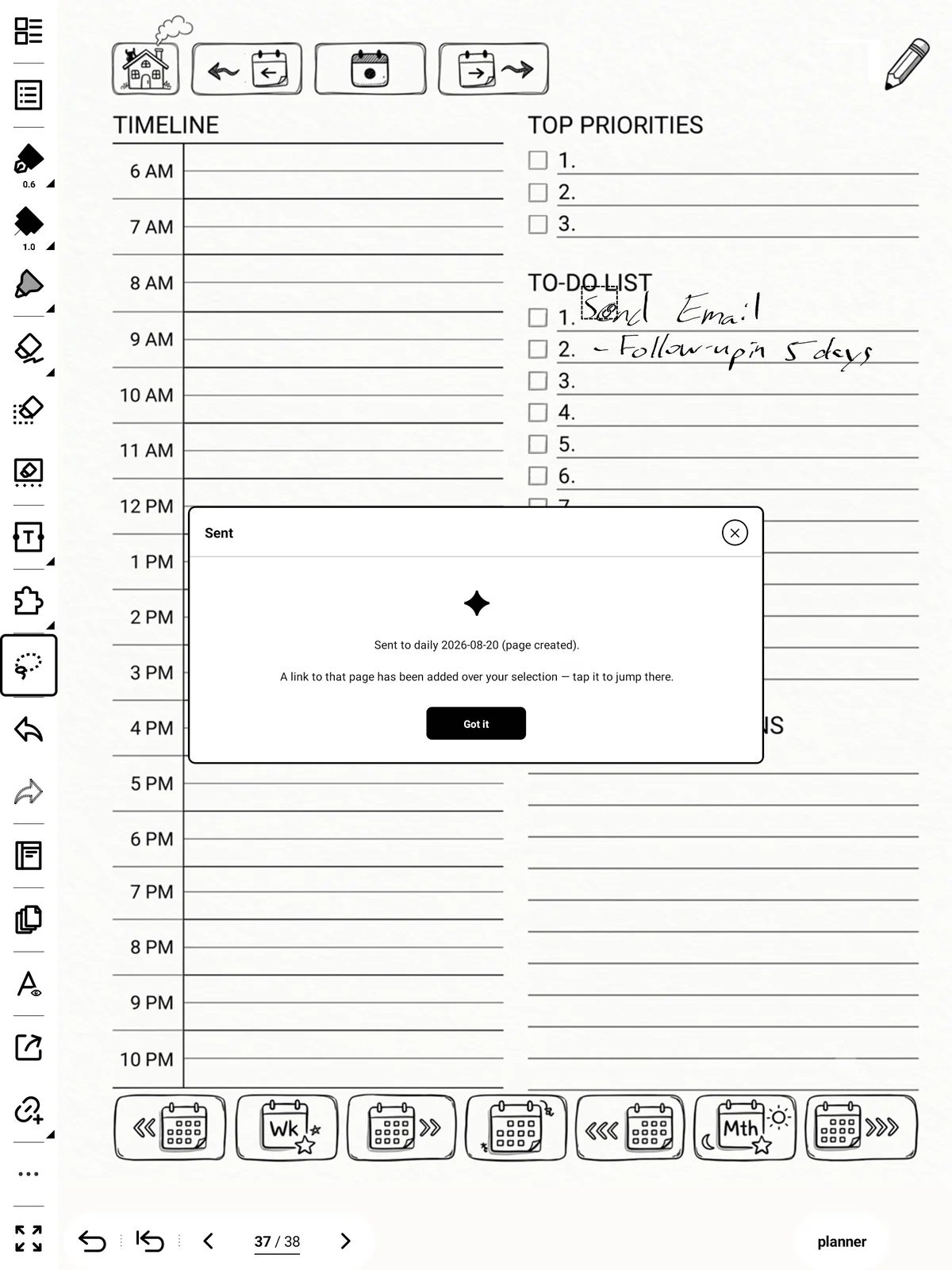
Modulanner puts it there, making the page if it is a date that has no page yet.
What to send
- Copy + link: copies what you lassoed onto that page, at the same spot, with a link each way between the two. Where the page allows it, the copy goes on its own layer called Sent, so if it lands on top of other writing you can switch to that layer and move just the copy.
- Link only: copies nothing. A small box naming this note and page goes in the first clear spot on the other page, with a link back here; and a link over your selection goes there.
Your choice is remembered for next time.
Where to
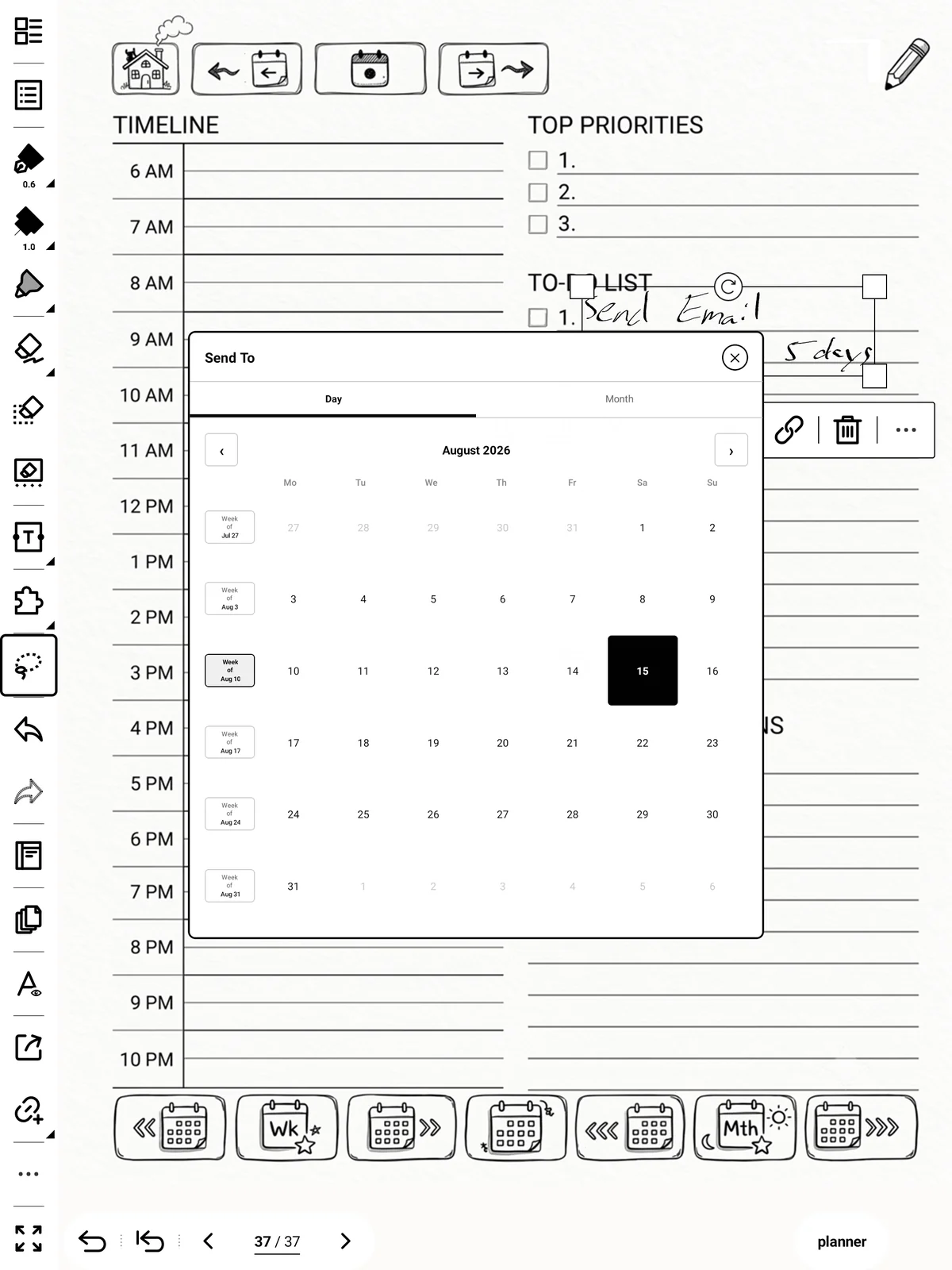
- A date in your planner: pick a day, week or month.
- Another page in this note, or a page in another note.
- Recent pages: the last few pages you sent to. Press and hold one to remove it.
- Named pages: any page you have named (page 6.3). They are found by name, so reordering that note's pages does not break them.
Note: It copies rather than moves: the original stays where it is. Erase it yourself if you don't want it twice.
Real-time recognition notes
These have a single layer, so the copy goes onto the page itself rather than a Sent layer.