Jumping back to a page
INFO TAB
Dated pages already have zones and the date picker. The index is for everything else: pages you would otherwise only find by scrolling.
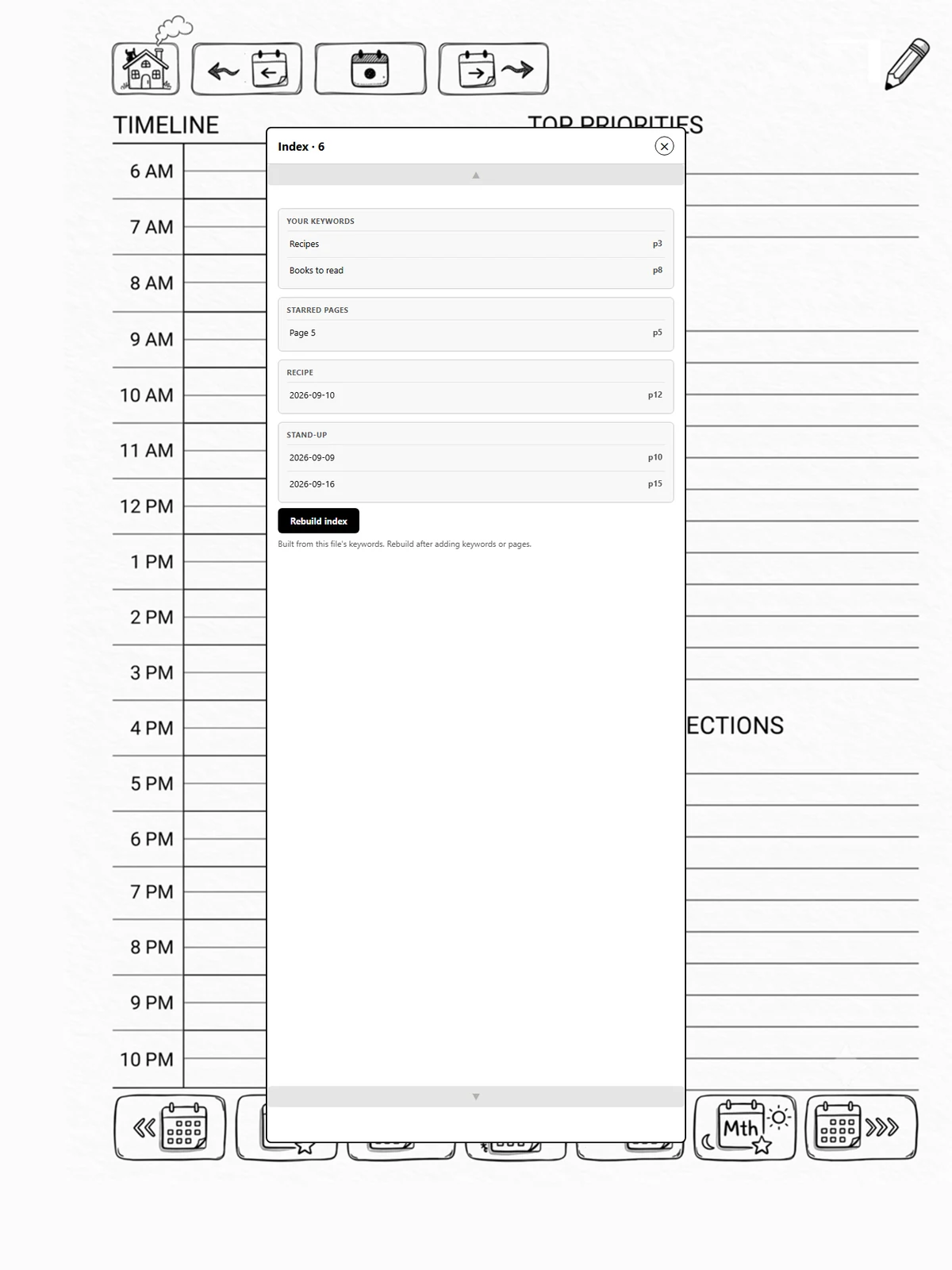
What it lists
-
Your keywords: anything you tagged a page with in the note app's keyword manager.
-
Starred pages: pages you starred in the note app.
-
Pages you created: pages made by an insert-a-template zone, grouped by the zone's name, and pages made from a calendar slot, grouped by the appointment's name. Every occurrence of a recurring meeting sits under one heading.
Tap a row to go there.
Steps
-
Info, Planner index, Build index. It scans the whole file, so the panel closes while it runs and reopens with the list.
-
Tap Open index whenever you want it again. Build it again after adding keywords.
Show time slots
Pages made by tapping an empty time slot are named after the time, like "Slot 9:30 AM", and are hidden from the index unless you turn on Show time slots underneath the index button. Pages named after a real appointment are always listed.