Two taps to place a hitbox zone
PLANNER SETUP
You draw a rectangle over the artwork you want to be tappable. Modulanner remembers the rectangle, not the picture.
Steps
-
Tap the zone you want to map — say Today.
-
The panel disappears and the page shows through. Tap the top-left corner of your Today icon.
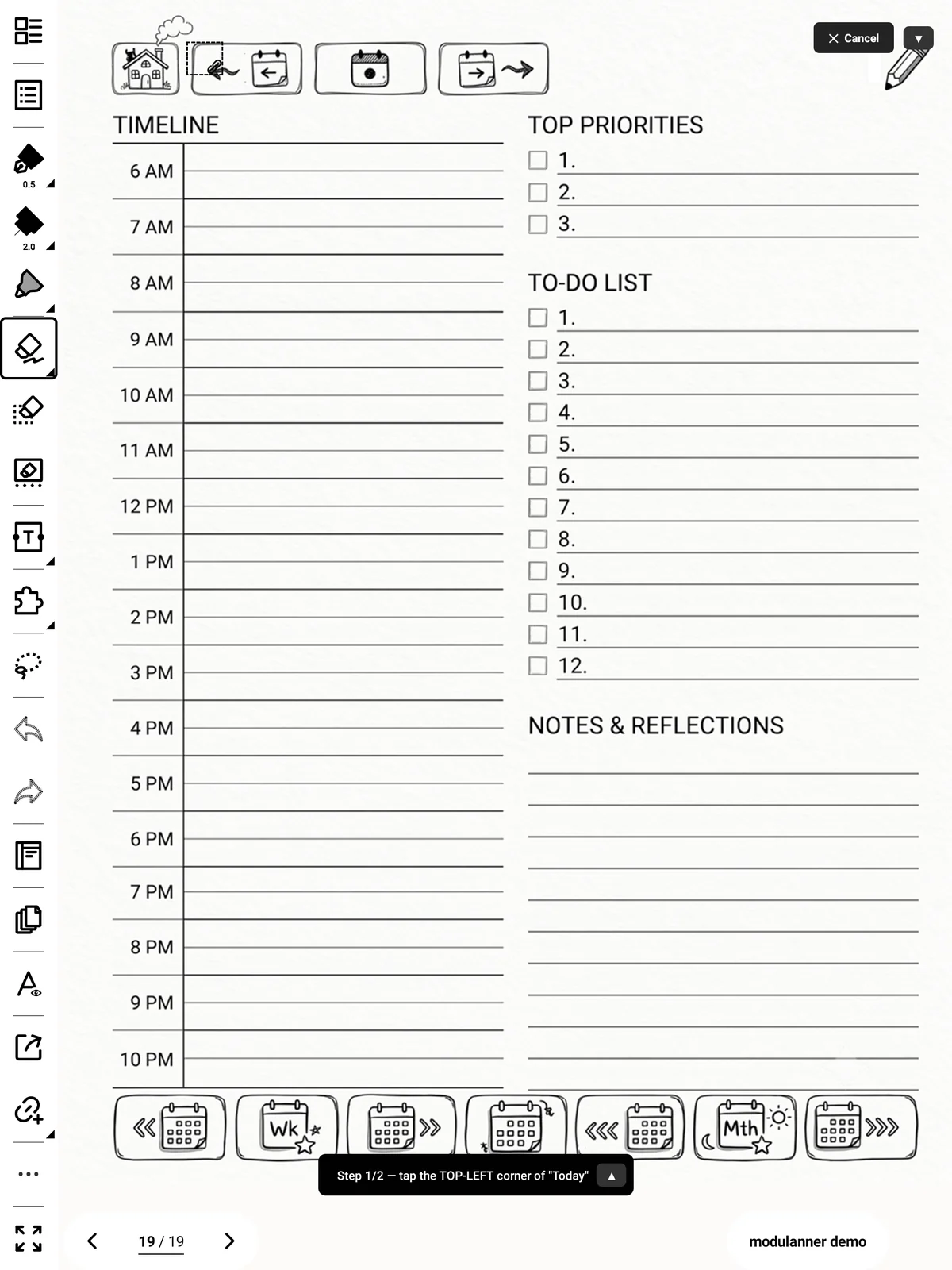
-
A dot marks the corner. Tap the bottom-right corner.
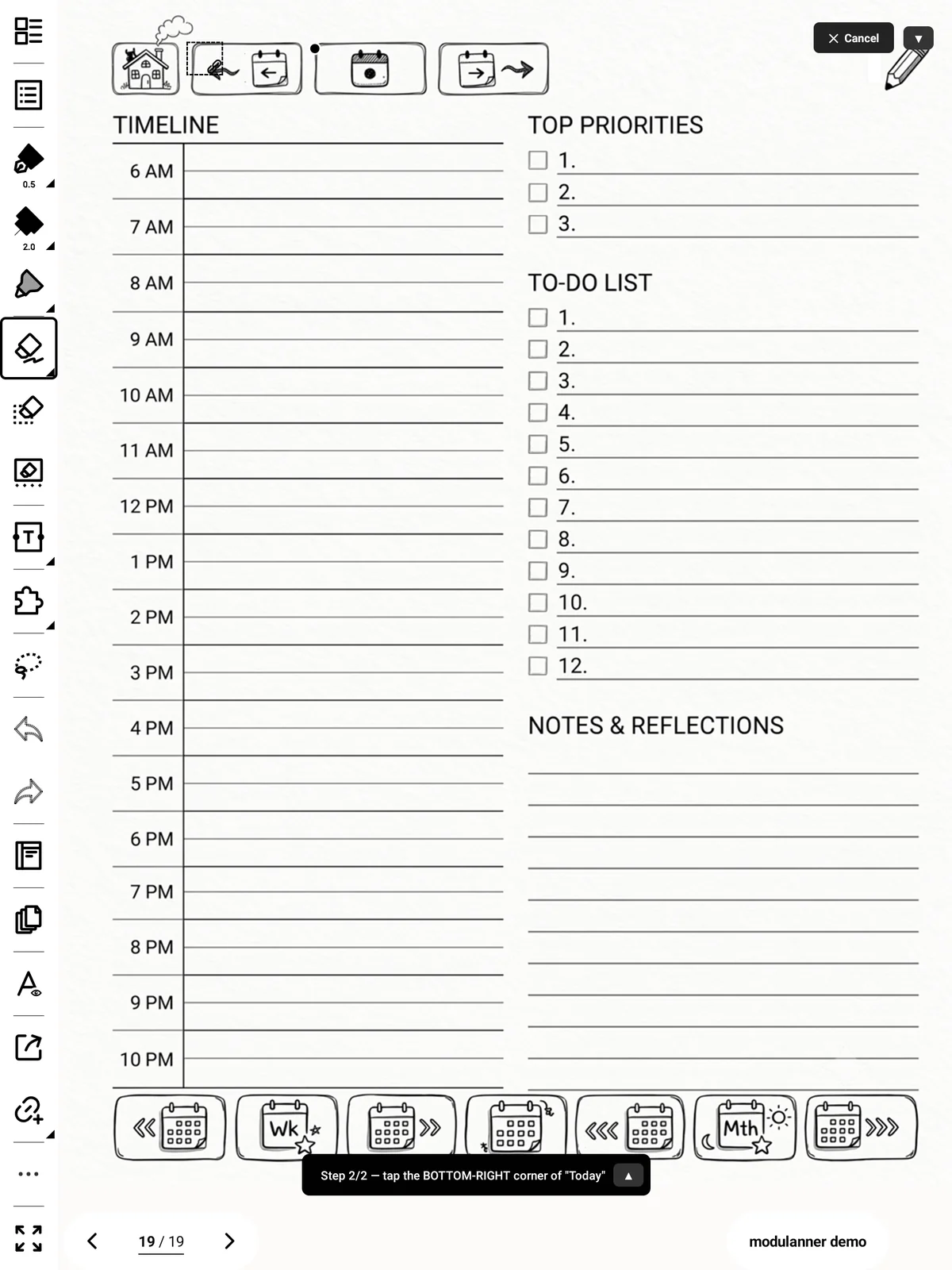
-
Check the dashed box, then tap Save.
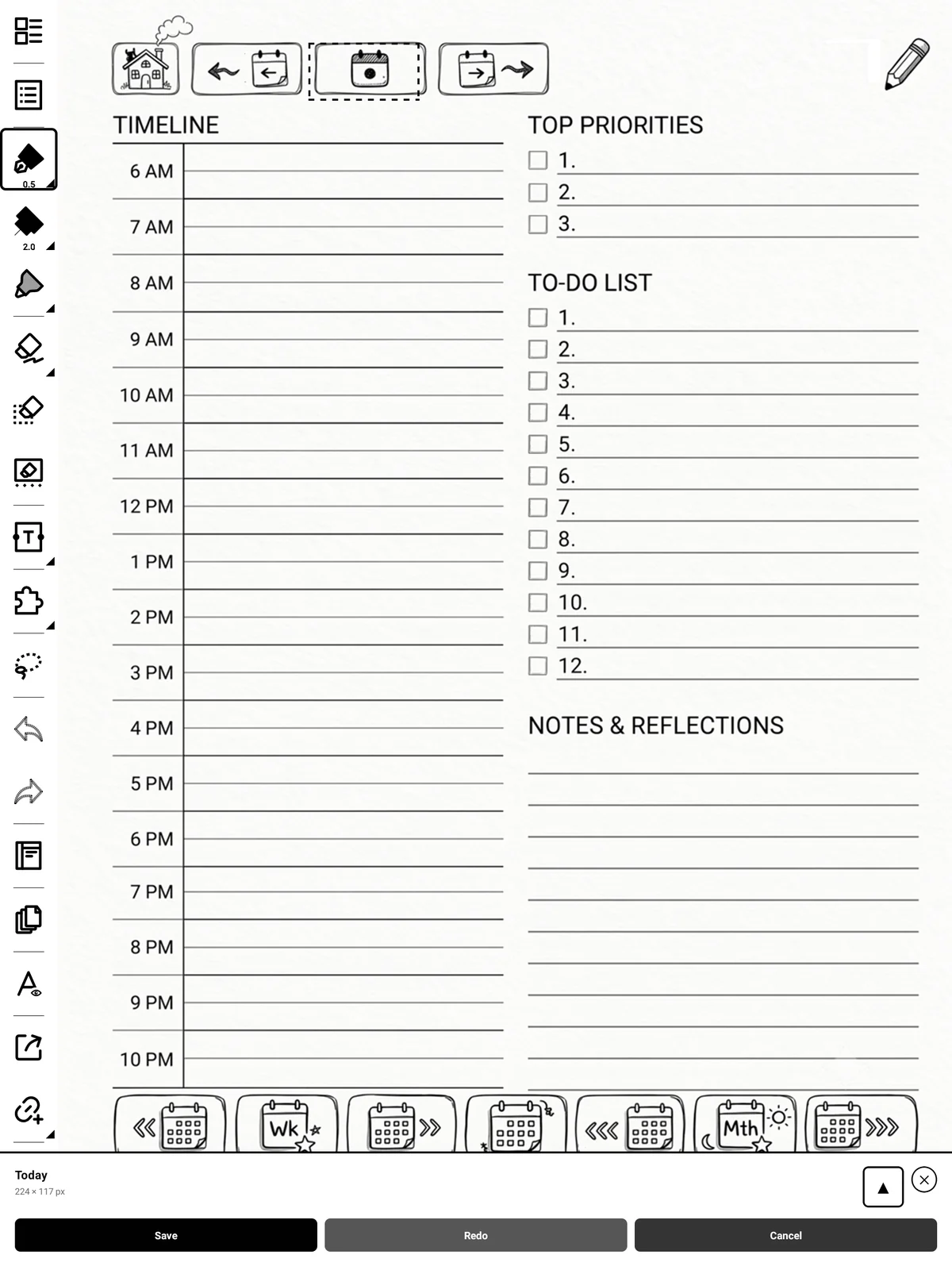
Tip
The instruction box and the Cancel button both have a small arrow that moves them out of the way. Use it when the icon you're mapping sits underneath one of them.
Then: Tap the icon on your page. By default, Modulanner uses Direct Navigation and automatically jumps to the page when it's located or created. You can also change this in Settings to use Native Links, which gives you a permanent link space on the page that you must tap to jump (a two-tap pattern).