Pin a page and jump to it
CUSTOM SETUP
Modulanner doesn't have its own file browser. Instead it reads a link you make with the note app's own Insert Link, which already knows how to point at any page in any file.
Steps
-
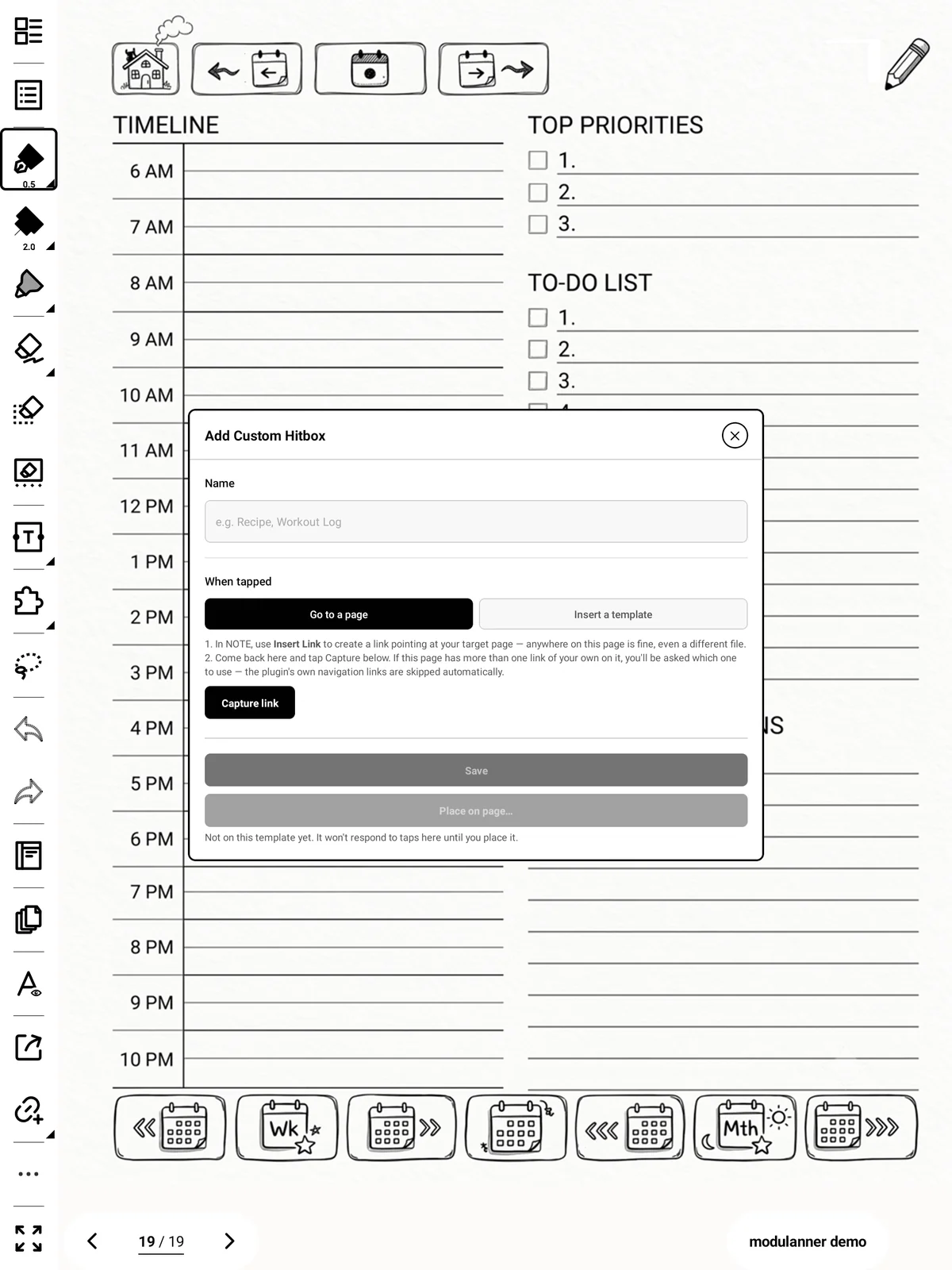
In your note, use Insert Link to create a link to the page you want. Anywhere on the current page is fine — even a scratch area.
-
Open Modulanner → Custom Setup → + Add custom zone.
-
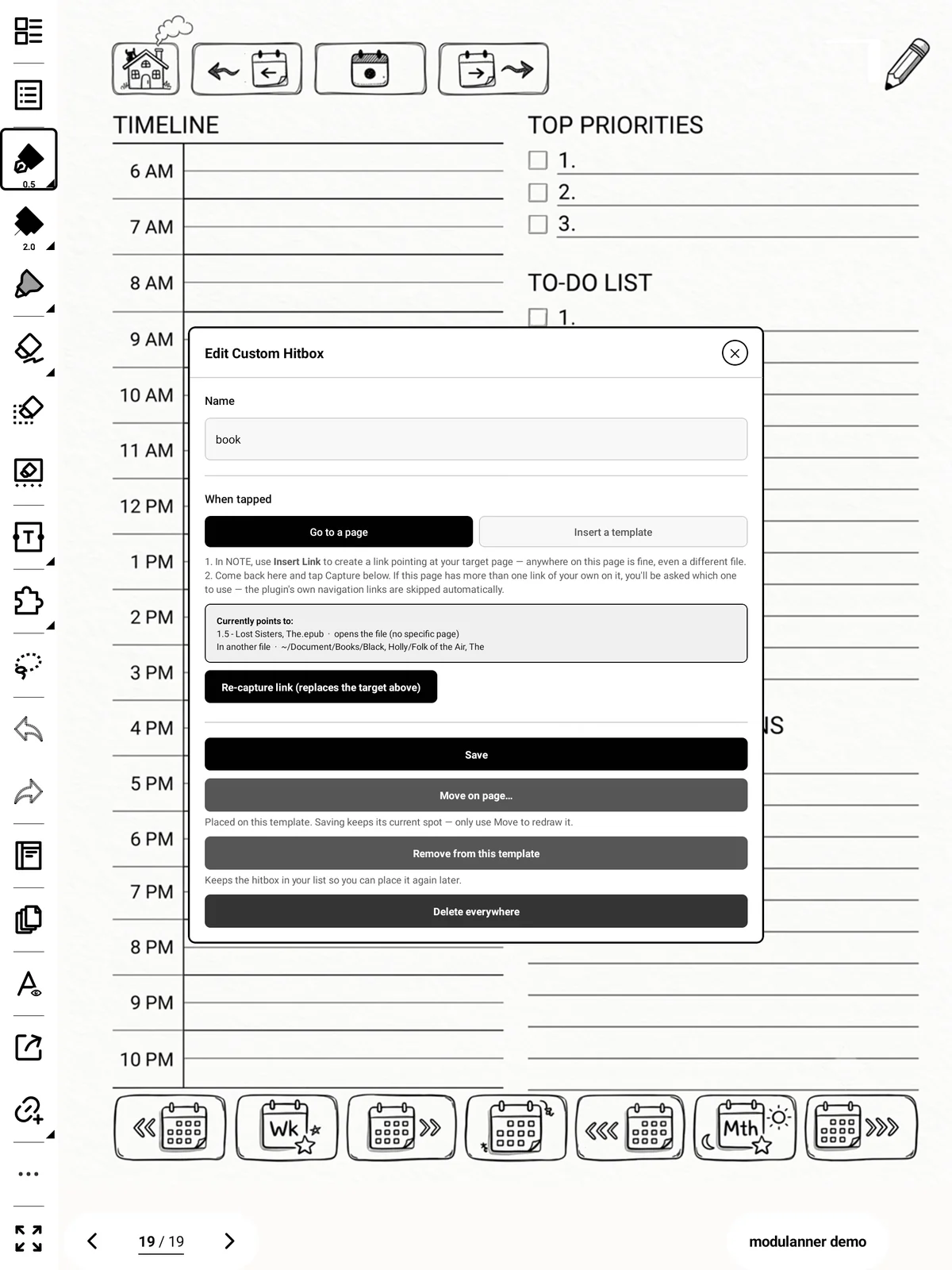
Give it a name and leave the target as Go to a page.
-
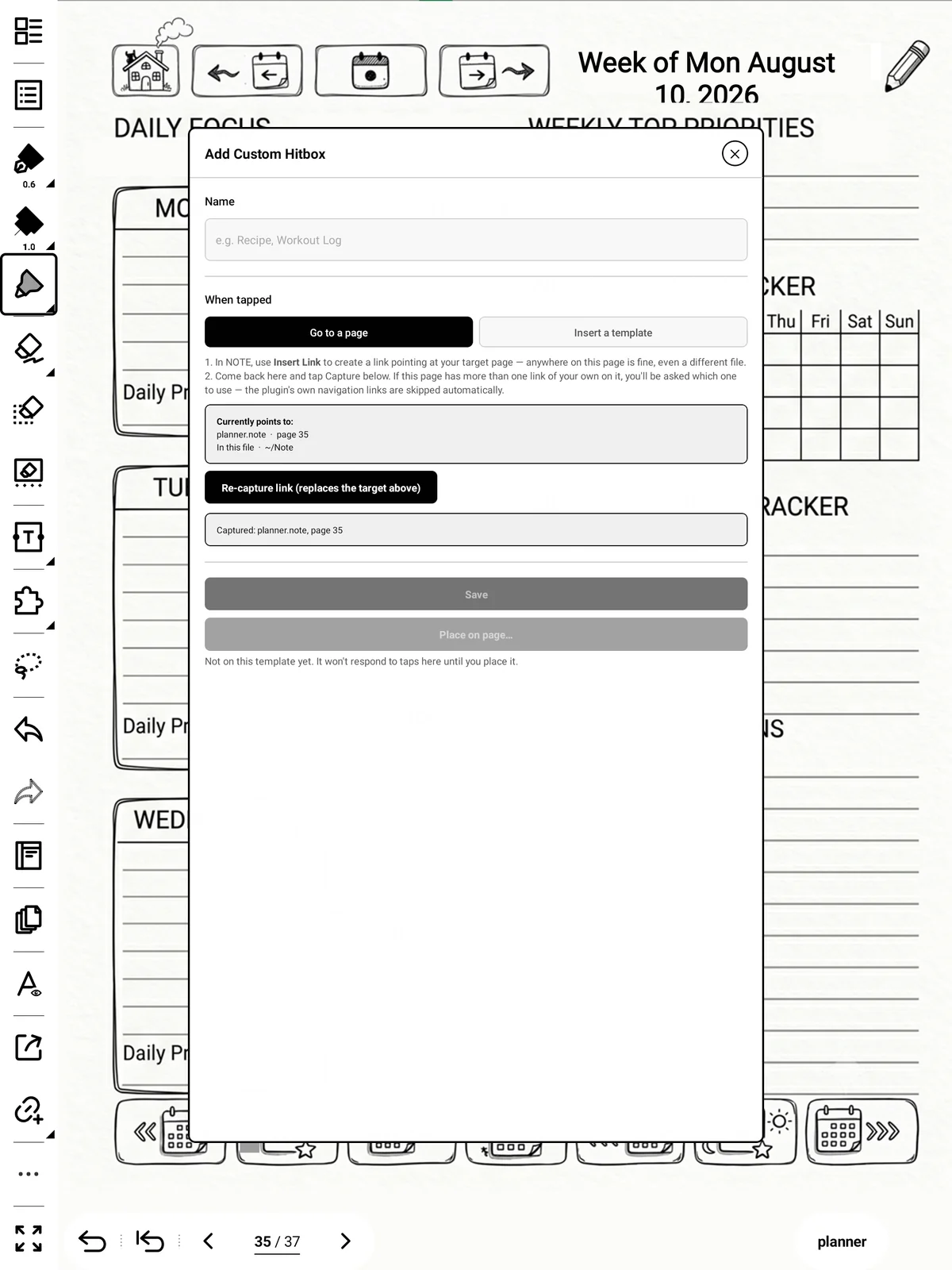
Tap Capture link.
-
Tap Place on page… and draw its two corners.
Tip
If the page has more than one of your own links on it, you'll be asked which one you meant. Modulanner's own navigation links are ignored automatically.
Callout: Targets in other files work, and so do PDFs.