Zones you define yourself
CUSTOM ZONES
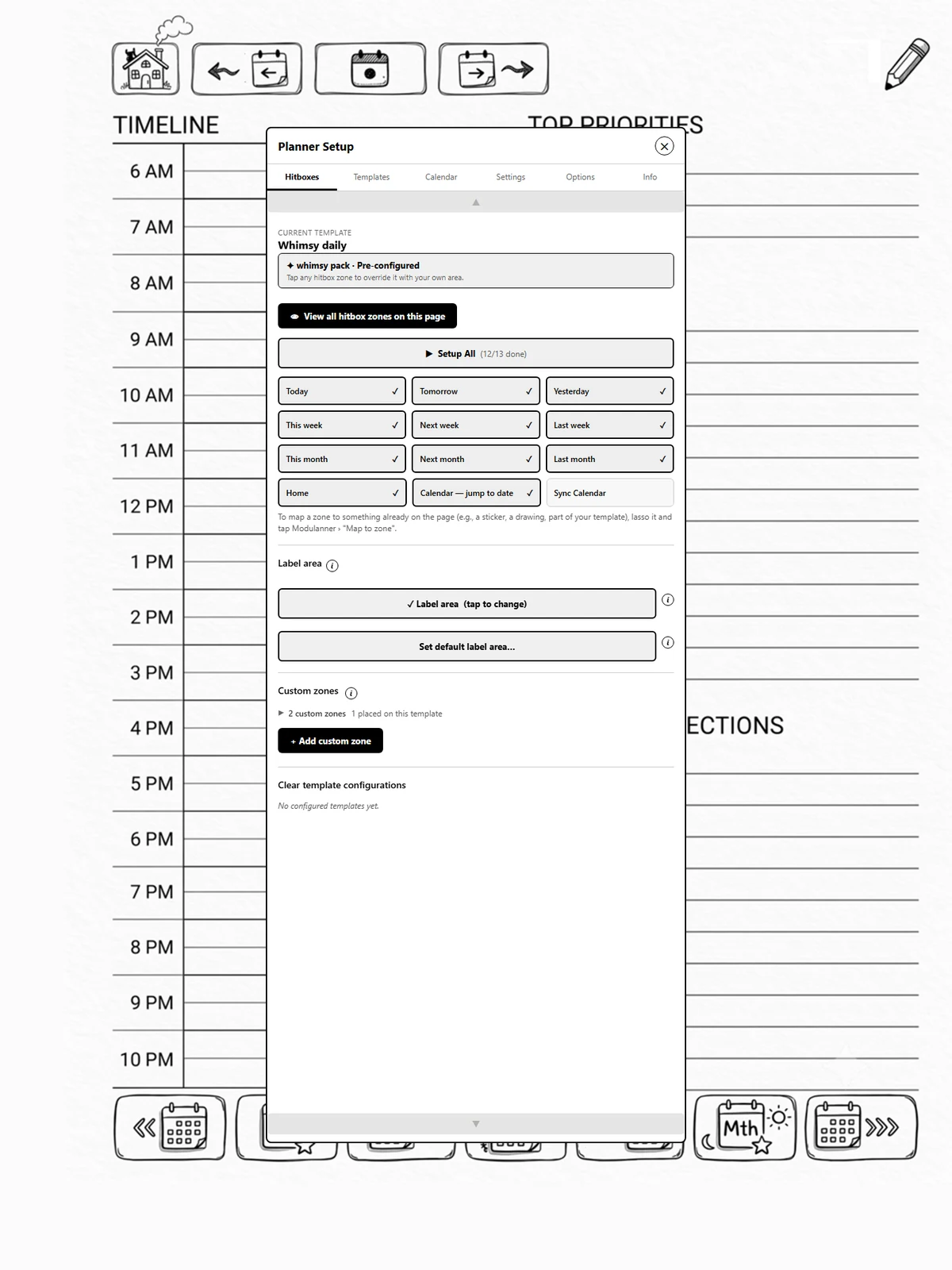
The ten standard hitbox zones all navigate by date. Custom zones do one of two other things: go to a specific page you have pinned, or add a fresh page from a template you choose.
They live in the Custom zones section at the bottom of the Hitboxes tab, and use the same visual language as the standard zones: a light border for not placed, a heavy border and a tick for placed.
Sections
-
Go to a page: a link to somewhere fixed, even in a different file.
-
Insert a template: a quick-add zone, for example "New Recipe".
-
Page labels: the on/off switch and the label format are on the Options tab; where the label sits on each template is set on the Hitboxes tab. See page 2.7.
Where did the Custom Setup tab go?
Earlier versions had a separate tab for these. Its contents are now split by what they are: custom zones and the label area on Hitboxes, the label switch and format on Options.